
Search Washington County Cases by Name
For civil, family, felony, misdemeanor, and some probate matters, Washington County routes searchers to iDocket. Tie every name search to Washington County, a court level, and a filing window. The split matters. The District Clerk holds district civil, family, and post-indictment felony files, while the County Clerk keeps most other County Court at Law records plus probate. Justice Courts and Brenham Municipal Court may need their own channels.
Copy the spelling exactly as it appears on the filing. The vendor offers exact and sounds-like options, with fields for plaintiff, defendant, attorney, and filing date. A common name with no court or date filter can return several plausible cases. The first match is not always the right one.
- Identify the court, cause number, and filing date from a notice.
- Choose Washington County and the correct court in iDocket.
- Enter the last name and first name as the record shows them.
- Use exact spelling first, then sounds-like if needed.
- Compare the cause number, case type, and filed date before opening a result.
| Field | Type | Required | Use |
|---|---|---|---|
| County | Selector | Not stated | Choose Washington County. |
| Court | Selector or text | Not stated | Separate district from county-level files. |
| Plaintiff or defendant | Text | Not stated | Search the party role shown in the case. |
| File date | Date range | Not stated | Narrow common-name results. |
| Exact or sounds-like | Choice | Not stated | Adjust for spelling uncertainty. |
Washington County iDocket Access
The current iDocket gateway puts public access next to filing and recording products. Those are separate functions. Public lookup displays participating court data, while electronic filing delivers papers to a clerk. What a visitor can see or order still depends on account level and county participation. The gateway itself shows the county-linked service. That does not promise every lower-court citation is indexed.

Use the public-access path for a docket lookup, and use eFileTexas only when filing through an approved provider.
Washington County Case Number Search
A cause number is the cleanest key for a Washington County case lookup. The county's e-filing hints give 2016-001 as a format sample: a year, a dash, then a sequence. Treat it as an example only. It is not a live case, and not every court follows the same pattern. Copy the full number from a file stamp, citation, notice, or order.
Type the punctuation exactly as printed. If the portal rejects it, read its help text before stripping dashes. Confirm the court too. A JP docket number may differ from a district cause number. A municipal citation can pick up a case identifier only after filing.
Exact and Sounds-Like Searches
Choose exact search when the spelling is certain. Sounds-like helps when a name was heard aloud, changed form, or recorded with a variant spelling. That wider net also invites false matches, so pair it with court, date, and case type before trusting any hit.
- Exact
- Looks for the spelling entered, subject to the portal's own matching rules.
- Sounds-like
- Broadens results to names that may sound alike.
- Case style
- The formal caption that identifies the parties or entities in the case.
- Cause number
- The court-assigned identifier used to distinguish the file.
Handle initials and minor names only as the official record permits. Restricted information should never be copied into notes or shared as if it were open data.
Washington County Case Search Results
An iDocket result may surface parties, attorneys, a case history, a calendar, or document-order tools. What appears depends on the clerk, the court, and the account. Treat a search result as an index to the court file. It is not a certified copy. It may lag a very recent filing or reset.
| Cause number | The court identifier used to verify the match. |
|---|---|
| Case style | The caption or party labels shown by the court. |
| Case type | Such as civil, criminal, family, or probate. |
| Filed date | The date the clerk accepted the case. |
| Case history | A sequence of filings, events, settings, and orders. |
| Status or disposition | The portal's current label for progress or outcome. |
For a hearing date, check the entry against the current court notice or coordinator. When a document must carry official proof, order certification from the clerk who holds the original file.
Washington County Login-Gated Search
The legacy iDocket route opens on a User ID and password screen. That login route does not expose a full anonymous search form. No extra required fields should be inferred from it.

A login gate is not a closed record. It only means this route wants an account, or a different access channel. The District Clerk, County Clerk, the relevant JP, or Brenham Municipal Court can route a request when online access stops. The wider iDocket product page describes its case-history and search functions.

Its product description supplies useful field names, but clerk confirmation still controls the record.
County vs Statewide Case Search
re:SearchTX is the statewide electronic court-record layer. Official guidance allows searches by case number, party, county, court, case type, and filing date. It can display a register of actions, parties, attorneys, events, and available documents. Washington County's iDocket route, by contrast, ties more directly to local clerk pages.
| Question | re:SearchTX | Washington County iDocket |
|---|---|---|
| Reach | Participating Texas court records | County-linked participating records |
| Best start | A case that may cross county searches | A known Washington County case |
| Access limit | Sign-in, coverage, and document limits may apply | Login, subscription, and clerk participation may apply |
| Authority | State electronic access layer | Local vendor view; clerk remains record authority |
The live statewide interface returned an access block during research.
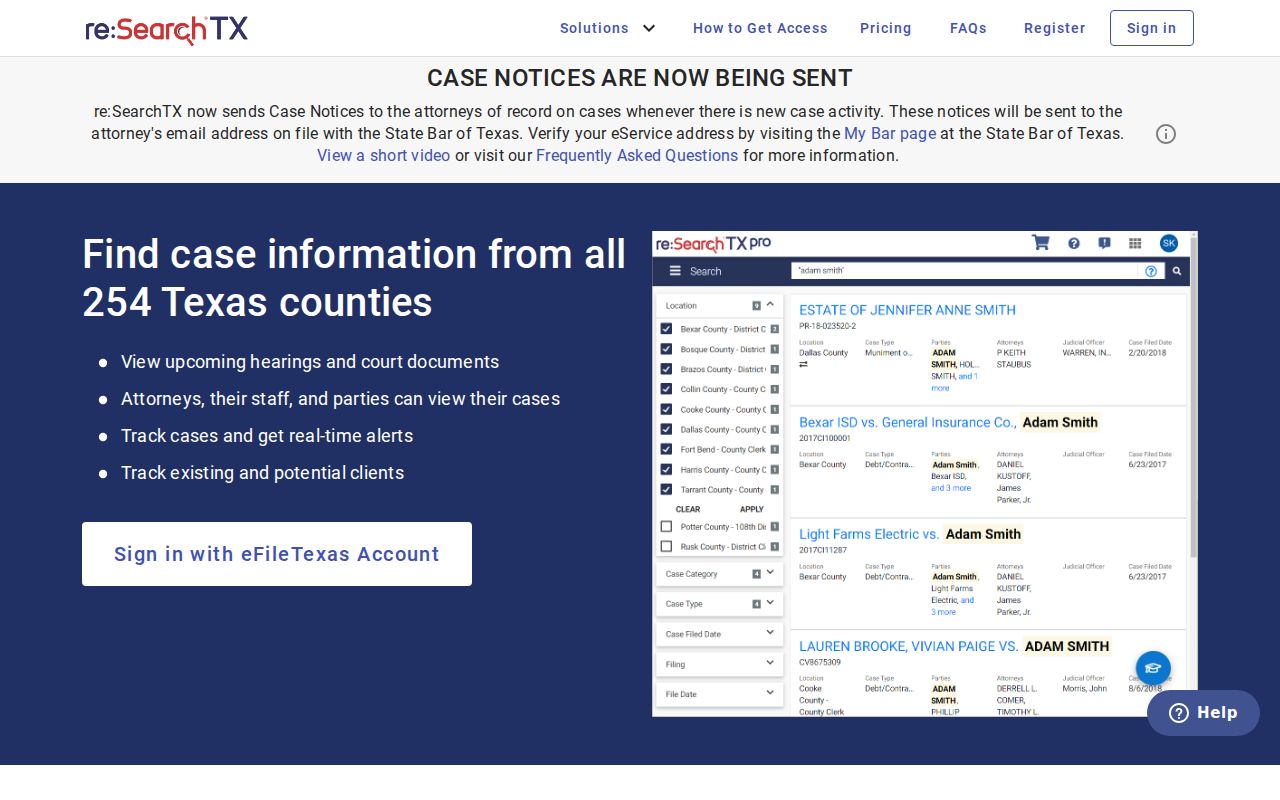
An access condition is not the absence of a case. Try the official guidance, the sign-in route, or the clerk fallback before reading a no-view as a no-record.
No Washington County Search Result
A blank result can have several causes. The name may be spelled differently, the filing date may fall outside the chosen range, or the wrong court may be selected. The file itself could be paper, historical, sealed, juvenile, or held by a lower court the portal does not cover.
Give the clerk the court, the cause or citation number, a date range, the document title, and whether a plain or certified copy is needed. When the only question is a court date, a phone call beats a broad records request. The full copy process appears in the Washington County court record search.
Restricted Washington County Cases
Not every Washington County court docket is open. Some juvenile records stay private under Texas Family Code Chapter 58. Rule 76a lets a court seal civil filings. A criminal record can vanish from view through expunction or an order of nondisclosure. Each of those is its own legal state. So a missing result does not give you a right to the file.
Records here follow court rules, not the Texas Public Information Act used for executive agencies. Texas Rule of Judicial Administration 12 governs judicial records, along with court-specific law. Ask the Washington County clerk which part of a case is public. Ask what order or proof a restricted part demands. A party to the case may have access the general public never gets.
Washington County Filing Systems
Filing and searching are two different acts in Washington County. eFileTexas moves a filing along. It works through a certified electronic filing service provider. It is a delivery system, not a public docket viewer. A filing it accepts may show up later in iDocket or re:SearchTX. Timing and access depend on how the clerk and the court have wired their systems together.
Texas set a deadline for local systems. November 1, 2025 was the date to link with re:SearchTX. That milestone did not kill the county iDocket route. Nor did it promise instant access to every case lookup. Search both layers, then ask the clerk about any recent or missing docket entry.